user@l1ghtn1ng:~$ cat blog/mi-metodologia-de-reconocimiento.md
My Recon Methodology (and How I Ended Up Automating It Into a Single Tool)
- #BugBounty
- #Recon
- #Tooling
Recon is one of the most important parts of bug bounty, and also the most repetitive. This is the order and the tools that work for me, phase by phase, and the tool I built so I wouldn't have to do it all by hand again.
There's a phrase that gets repeated to death in the bug bounty world: "the key is in recon." And it's true. What almost nobody tells you is that recon, done by hand and done properly, is slow, repetitive, and really easy to half-ass once you're three hours in and exhausted.
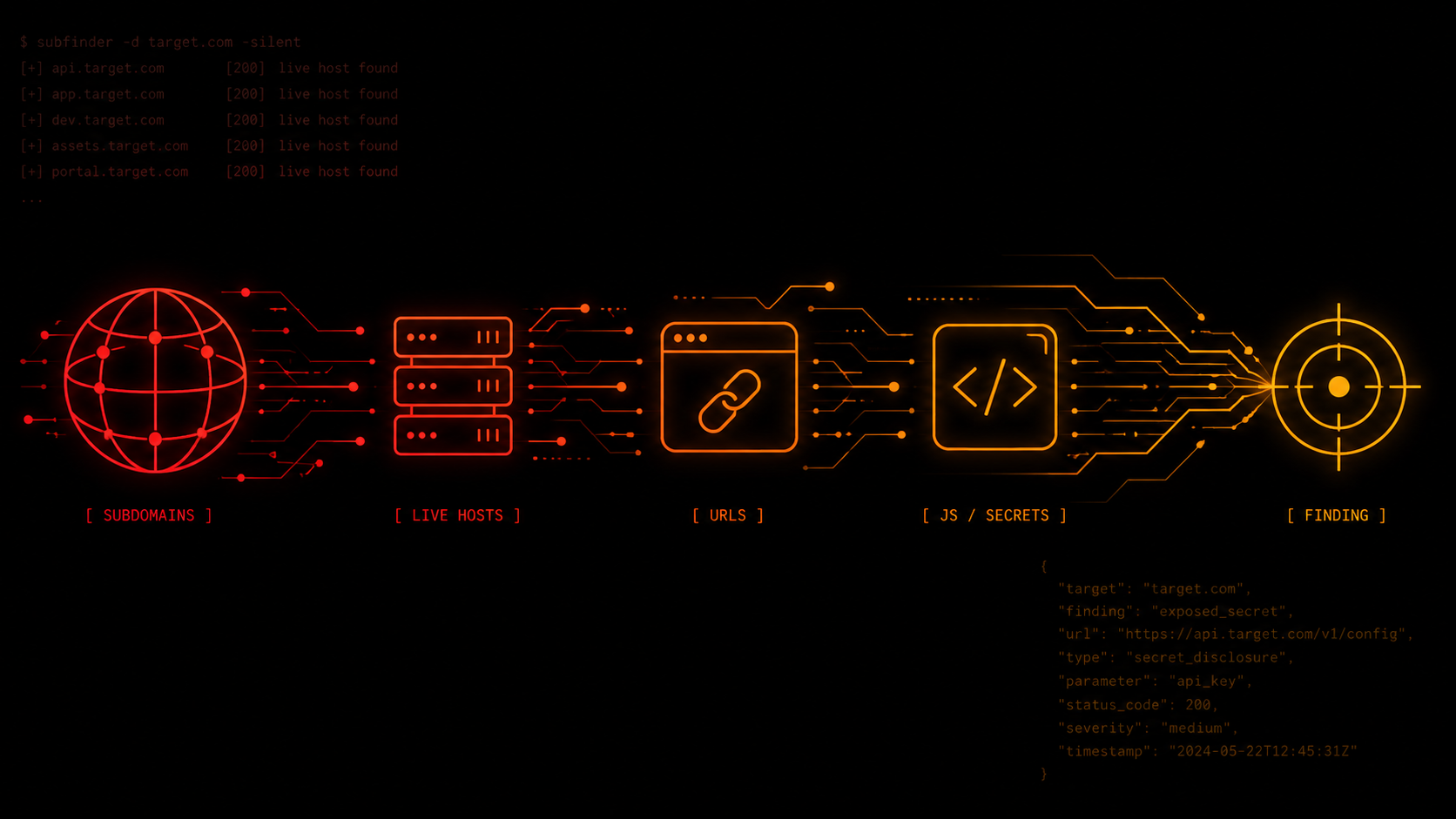
Over time (through trial and error) I put together an order that works for me. It's not a list of random tools — it's a sequence where each phase feeds the next. Subdomains give you hosts, live hosts give you URLs, URLs give you JavaScript, JavaScript gives you endpoints and secrets, and so on. This post is about that methodology and about how I ended up integrating it into a single tool.
The idea isn't to teach you recon from scratch, but to show you what works for me and why each step is where it is.
Note: Here I'm using "recon" in a broad sense: I'm including both passive recon and active enumeration. In practice the two phases blend together constantly, so I treat them as part of the same methodology instead of splitting them apart.
Step one: discovering subdomains
Attack surface isn't something you choose — you discover it. And the first step is always understanding how big the target actually is. No single tool covers 100% of the subdomains on its own, so I run all of them and merge the results afterward. I use: subfinder, assetfinder, amass in passive mode, findomain, github-subdomains, and chaos, plus a pass through crt.sh for certificates.
Once that list is deduplicated, the next step is figuring out which ones are actually active. I resolve with dnsx and then run everything through httpx to keep only the hosts with a live HTTP/HTTPS service, saving the status, title, and server along the way.
Note: if the domain has wildcard DNS, any non-existent subdomain may resolve to the same IP address. If that IP also responds to any hostname, those false positives won't just appear during DNS resolution:
httpxmay also mark them as live hosts. That's why it's important to detect wildcard DNS before trusting those results.
Crawling and URL history
Once the live hosts are identified, the priority shifts to enumerating all their endpoints and resources. For that I combine active crawling with historical URLs.
For active crawling I use katana, always limited in depth, time, and rate — I'll explain why later. In parallel I query historical sources with waybackurls and gau, which return URLs that might not even exist on the live site anymore. And I add hakrawler as an alternative crawler.
All of that ends up in a file that I then normalize with uro, which collapses structurally identical URLs (same path with different ?id=1,2,3...) so a paginated site doesn't flood you with thousands of variants of the same URL.
Finding secrets in JavaScript
If I had to prioritize a single recon phase, it'd be this one. JavaScript hides routes, internal endpoints, API calls that don't even show up on the site, and every so often, hardcoded secrets that should never have made it to production.
I gather all the .js files that showed up during crawling and run them through two tools: LinkFinder, to extract hidden endpoints and routes from the code, and SecretFinder, which looks for embedded keys and tokens. Then I analyze all the downloaded content with trufflehog and gitleaks, and complement that with regex searches for high-value patterns: AWS keys, Google keys, GitHub tokens, Stripe secrets, JWTs.
Careful with this one: these are always candidates, not confirmed findings. You'll get a ton of false positives, and each one needs manual verification before you can call it valid.
Fingerprinting: identifying the target's technologies
Before testing for vulnerabilities, it's worth understanding what technologies the application is running on. Analyzing a WordPress site isn't the same as analyzing a Rails app, and a site exposed directly isn't the same as one sitting behind a WAF filtering everything.
For this I combine whatweb and webanalyze (based on Wappalyzer's signatures) to map the stack: server, framework, CMS, libraries. And I add wafw00f to find out if there's a WAF or CDN filtering traffic before it reaches the application. That last piece of data in particular saves you hours of frustration later, when you can't figure out why certain payloads get blocked or why some requests never make it to their destination.
Prioritizing URLs with parameters
Not all URLs carry the same value. The ones with parameters tend to be among the most interesting, since that's where the application processes user input.
To prioritize them I use gf, which applies patterns to group them by the type of vulnerability they might contain: SSRF, IDOR, open redirects, SQLi, XSS, LFI, or RCE. Instead of staring at a 50,000-line file, you end up with a handful of URLs ranked by where something is most likely to be. So this step is the bridge between "I collected thousands of URLs" and "I know which ones to look at first."
Automating checks with Nuclei
With nuclei I follow two different strategies, depending on the goal of the analysis.
-
The first is passive: I use low-risk templates (exposures, misconfigurations, tech-detect) to identify exposed panels, config files, technology leaks, and other exposures without running intrusive tests against the application. This is a stage I run always.
-
The second is active and targeted: I use vulnerability templates (auth, SQLi, XSS, SSRF, IDOR, LFI, RCE, CVEs) only on the URLs I already prioritized in earlier phases. Since these tests interact directly with the application, I only run them when the program allows it. Firing off every template with no criteria just generates unnecessary traffic and more false positives.
Port scanning and fuzzing
When the program's scope allows it, I complement recon with two more tasks.
First I resolve the hosts to IPs and dedupe them, so I'm not scanning the same machine multiple times. Then, to discover open ports, I use naabu, and to identify the exposed services I use nmap -sV. After that I do directory fuzzing with ffuf and SecLists wordlists to find routes and files that didn't show up during crawling.
Just like the active tests with Nuclei, these techniques generate direct traffic against the target, so they're only worth using when they're allowed and actually add value to the analysis.
All of this is automatable
If you read back through all of that, one thing is obvious: it's always the same thing, in the same order. And whatever's always the same gets automated. That's how L1ghtRecon was born: a Bash tool that automates this entire methodology in a single run.
It covers the following phases:
- Subdomain discovery.
- Live host verification.
- Crawling and historical URL collection.
- JavaScript analysis and secret hunting.
- Technology fingerprinting.
- URL prioritization with
gf. - Nuclei analysis (passive and active).
- Port scanning and fuzzing (only in
--aggressivemode).
It has two execution modes: --passive, which runs only the passive phases, and --aggressive, which adds the active ones. It also includes speed presets to control request rate (slow/normal/fast).
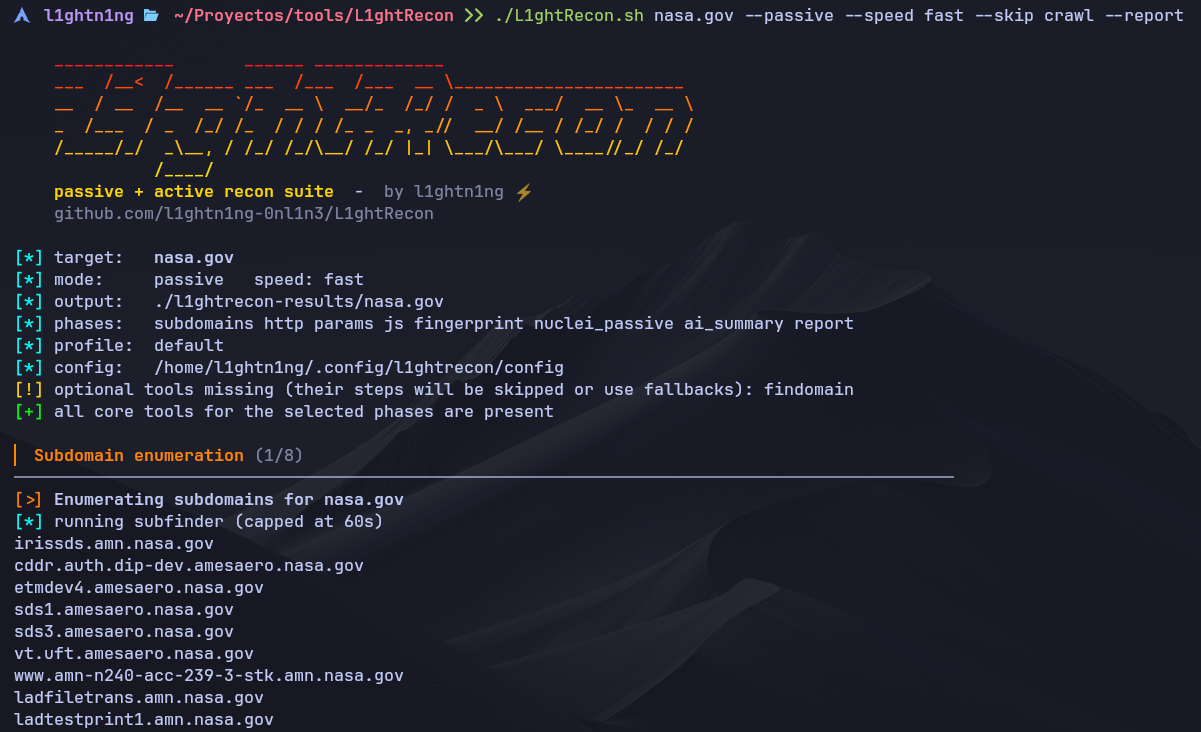
When it's done it generates a self-contained report.html (a single file, no dependency on CDNs or external resources), with light/dark theme, filterable tables, and export to PDF or Markdown. It also builds an attack surface summary meant to be pasted straight into an LLM to decide where to go next. It also automatically escapes all data coming from the target (titles, URLs, subdomains) to prevent malicious content from triggering XSS when the report is opened in the browser.
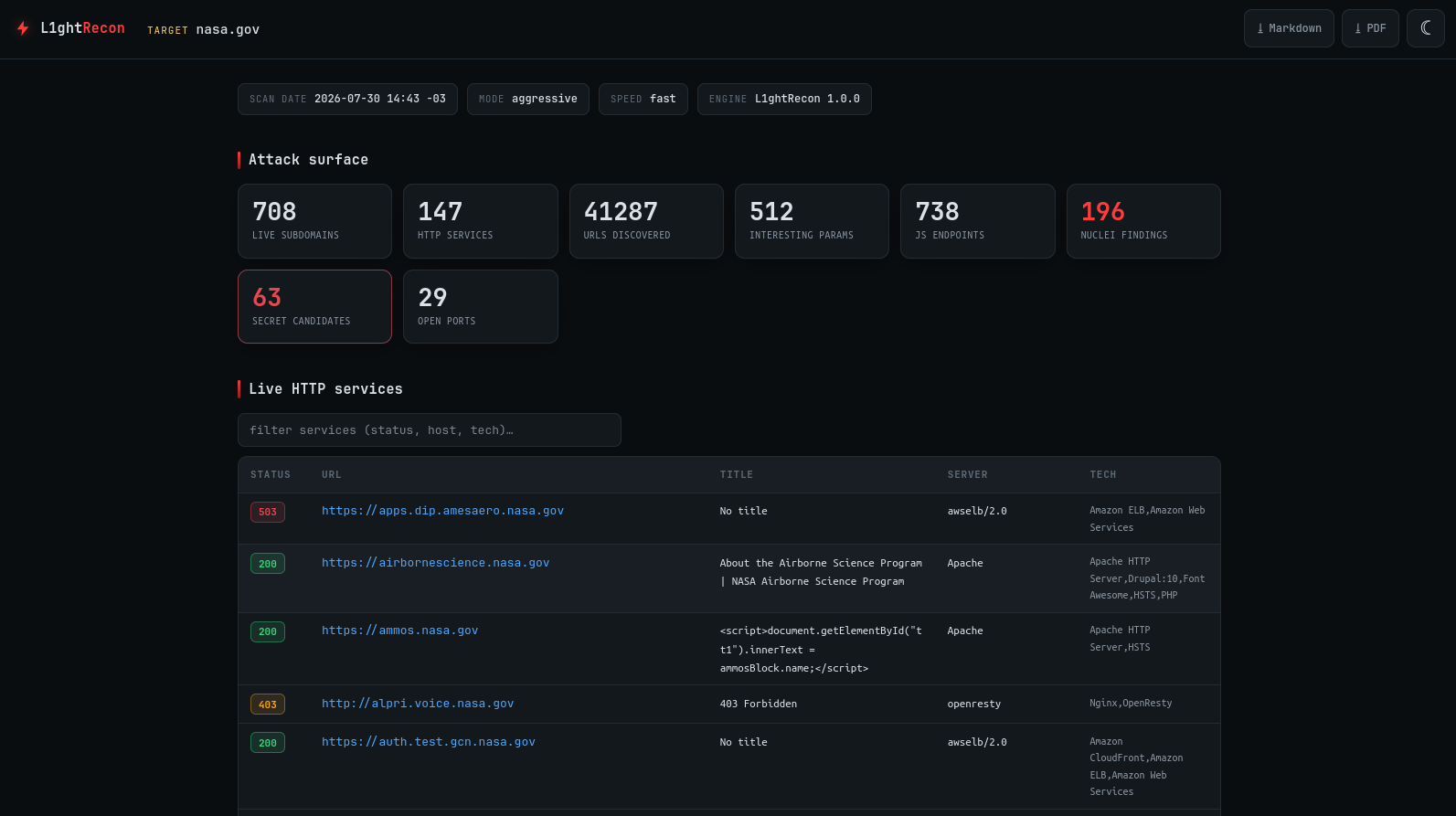
Crawling always runs with time and rate limits, respecting the restrictions most bug bounty programs set. On top of that, once a file hits a certain size, collection stops and it's flagged in the report, so it doesn't generate unnecessarily huge files.
To be clear: the idea was never to replace
subfinder,httpx,nuclei, or any of the other tools that already exist and work great.L1ghtReconjust integrates them into a single workflow, with the goal of bringing together the methodology I normally use into one tool, so I don't have to run it manually on every program.
You can grab it from my GitHub: github.com/l1ghtn1ng-0nl1n3/L1ghtRecon.
Conclusion
The tool takes care of organizing information and cutting down repetitive work. What's left after that is what actually makes the difference: understanding how the application works, connecting findings, and finding paths that aren't obvious.
In the end, automating recon doesn't mean you stop investigating. It means you get to the analysis stage with the information already organized, so you can spend your time on the one thing no tool can do for you: thinking like a security researcher.