user@l1ghtn1ng:~$ cat blog/experiencia-lor-nasa.md

How I got NASA's LoR by exploiting an Authentication Bypass
- #BugBounty
- #write-up
- #hacking
In this post I'll tell you how I found a vulnerability in NASA, and how you can start looking for one too ⚡
A few months ago I kept seeing people reporting vulnerabilities to NASA, and honestly it felt wild to imagine that one day I might find something there too. After a lot of learning, practice, and good old trial-and-error, I ended up finding a valid Authentication Bypass and getting the LoR (Letter of Recognition).
Context
Even though finding the vulnerability took me one week, behind that there were several months of learning, practicing, and understanding how web applications work.
With some foundations in Linux, networking, programming, databases, and cybersecurity, I started getting more and more interested in ethical hacking, especially everything related to web applications.
In October 2025, when I heard that you could ethically hack NASA and even get rewarded with an LoR, I didn't hesitate for a second: I wanted to do it too.
That's how, without much practice, I found an Information Disclosure in NASA over a weekend using Google Dorking. A NASA subdomain referenced a Google Drive folder with excessive permissions, allowing anyone to modify, add, or delete the information inside it.
Even though it ended up being a P5 (Informational), it helped me realize that these kinds of findings are better left unreported when they don't have real impact, and that it's much better to spend time on vulnerabilities that can actually compromise the application's security.
Thanks to that, I focused much more on critical vulnerabilities and on understanding how to exploit web applications properly.
Attack Surface Analysis
Scope
The first thing I did was read and take notes on NASA's scope. This is essential because it helps you understand where you can look for vulnerabilities, what is allowed, and what you should not do or report.
CheatSheet
I made myself a guide based on the different phases (reconnaissance, enumeration, exploitation...), so I could know what to analyze, what to test, which tools were useful in each case, and so on.
Still, instead of following it strictly, I used it as a reference. Along the way I changed several things, tried different approaches, and modified the order in which I ran tests. Even so, this first bug bounty experience helped me improve that cheatsheet a lot and make it way more useful for future targets.
Reconnaissance and Enumeration
I had read in a lot of places that "the key is in recon" and similar phrases, but I never thought it would be that true.
Although recon is one of the easiest parts to automate, I decided to do it in a more manual way because this was my first real vulnerability and I wanted to understand what was actually useful before automating it.
Tools I used for subdomain enumeration:
subfinder -d dominio.com -o sub_subfinder.txt
assetfinder --subs-only dominio.com > sub_assetfinder.txt
amass enum -passive -d dominio.com -o sub_amass_passive.txt
findomain -t dominio.com -q -u sub_findomain.txt
sublist3r -d dominio.com -n -o sub_sublist3r.txt

# Combino y unifico todos los resultados
cat sub_*.txt | sort -u > all_subdomains.txt
With httpx I checked which subdomains had active HTTP/HTTPS services, and then I used gowitness to automate screenshots of each website. That made it much faster to analyze interfaces and technologies.
gowitness scan file -f all_subdomains.txt -t 20 --write-db
gowitness report server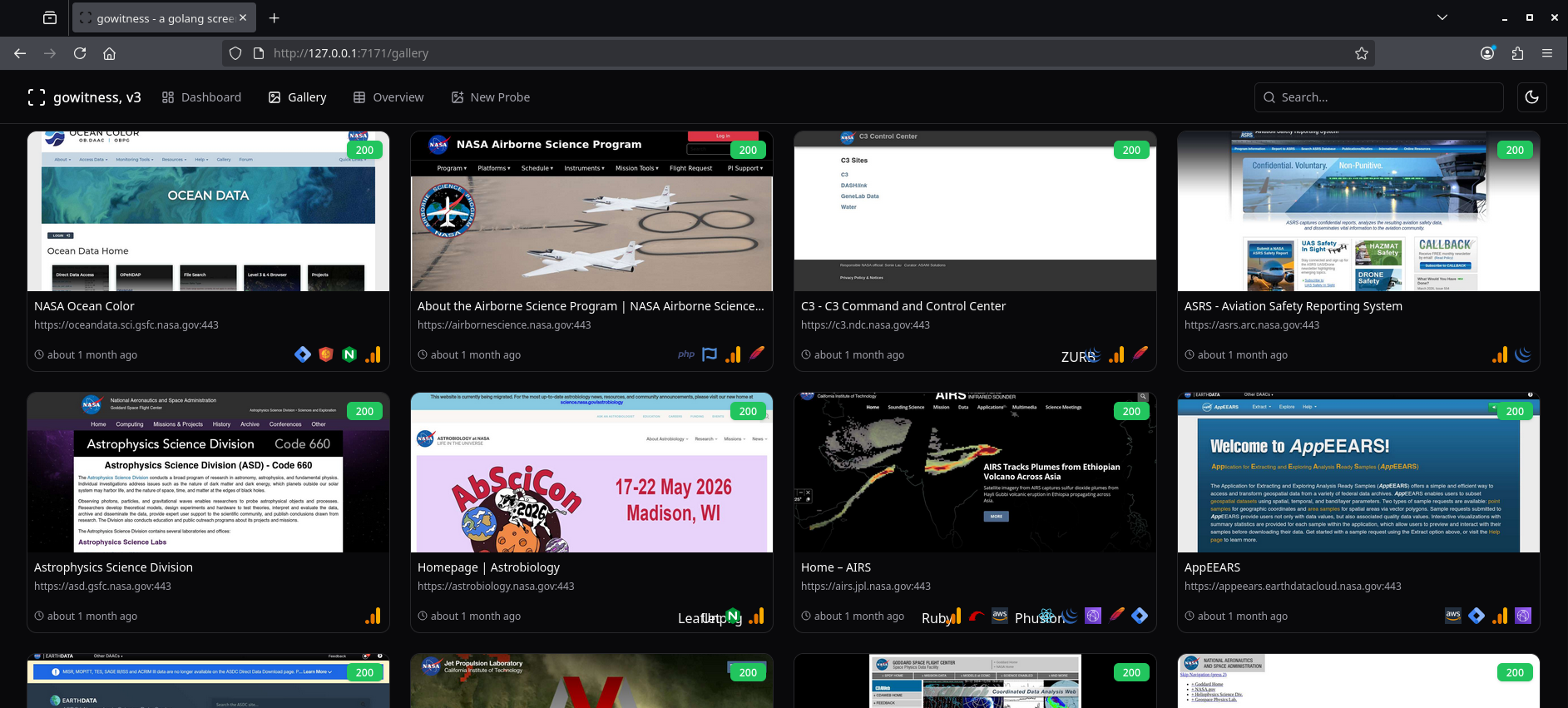
From there, I reviewed each subdomain one by one to understand and write down what each application did, what functionality it had, and what caught my attention: search inputs, file upload features, forms with unusual fields, legacy applications, third-party integrations, etc.
In some cases I stopped to test very specific things, but personally I recommend not doing that. It is much better to analyze all subdomains first and only then prioritize the ones that look more interesting or have a larger attack surface.
Across the different subdomains I tested things like:
- directory enumeration (
ffuf,gobuster) - technology detection (
Wappalyzer,whatweb) - firewall identification (
wafw00f) - automated analysis for possible vulnerabilities like XSS, SQLi, IDOR, and others, to quickly discard the most obvious cases.
Later, to focus specifically on registrations and logins, I created a custom nuclei template that looked for keywords like username, password, sign up, login, and similar ones.
And honestly, this is probably one of the things I recommend the most. If you manage to bypass something related to authentication, permissions, or registration, the impact usually goes way up.
After plenty of trial-and-error and lots of reviewed subdomains, I reached one that looked like an internal NASA application, with a pretty legacy vibe.
Since it had a registration section, my first thought was: "I'll register two accounts (victim and attacker) and try to do an ATO (Account Takeover)."
But after completing the registration, this message appeared:
"The site administrator will review your registration and get the necessary security approvals".

For obvious reasons, the administrator was never going to approve my account 😔.
So it was time to change strategy.
Thinking about it a little better, the fact that registration required manual approval meant not just anyone could access that tool. And that is exactly what would make a possible bypass more impactful.
So the goal became something else: register without needing an administrator to approve the account.
Exploitation
While analyzing the registration requests in Burp Suite's HTTP history, in one of the tests I changed the Origin and Host headers, which made the server respond with a 422 Unprocessable Entity status code.
After researching a bit, I saw that this behavior was typical of applications built with Ruby on Rails, especially around validations and protection mechanisms like CSRF. Also, if it was misconfigured, it could be vulnerable to a Mass Assignment Attack.
So I tried injecting the following parameters into the registration request:
&user[role]=admin&user[is_admin]=1&user[admin]=trueThe idea was simple: if the application was vulnerable to Mass Assignment, I might be able to modify internal user attributes and register directly as admin.
But once again, it didn't work.
So, going one step back: the account needed to be approved by an administrator to become active.
Then I thought: What if, instead of trying to register as admin, we directly modify the parameter that controls whether the account is approved or active in the backend?
I injected parameters into the request again, but this time testing things like:
&user[approved]=true&user[approved]=1&user[active]=true
Aaaaand... it worked!!!!
After sending the request, the server responded with 200 OK, allowing the account to remain active and granting access to restricted platform functionality without manual approval.
We tried logging in:

Triage and Resolution
I had been told that usually they took between one and three days to give an initial response. In my case, after 13 days with no news, I tested the vulnerability again and found that the registration bypass no longer worked. Also, the accounts I had created could no longer log in 💀💀💀.
At that point I clarified that the vulnerability was no longer reproducible, which probably meant it had been fixed or mitigated after the initial report.
Even so, they continued with triage. Later, NASA explained the vulnerability's impact and Bugcrowd ended up classifying the finding as a P3 (Medium).
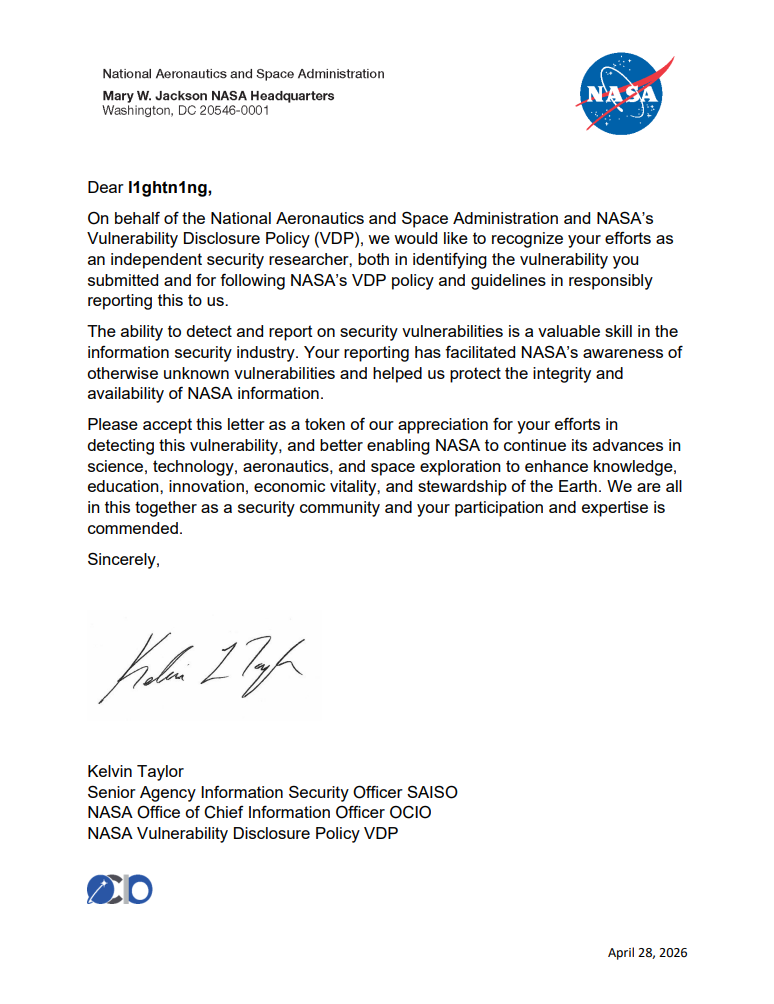
Result:
Recommendations
If you're looking for your first bug, I recommend starting with NASA or another large organization. From my experience, the scope is huge and, even though they already have more than 12 thousand reported vulnerabilities (as of today), there's still a lot left to discover.
For structured training in Spanish, I recommend Hack4u. Even though the content is guided, you will still need to research constantly on your own, because that is part of bug bounty and cybersecurity in general. I personally took the intro to hacking course, which is really useful for understanding how OWASP Top 10 vulnerabilities work and how they are exploited, among other things 👌.
Hack4u also has a specific web hacking course, but I can't recommend it because I have not taken it. In my case, I preferred studying the theory with PortSwigger Academy and solving the labs. By the way, according to its creators, many of those labs are based on vulnerabilities found in real applications.
I also recommend joining a community. In my case, I joined Gorka el Bochi Morillo's community, where there are hunters who are seriously 🔝. It helps a lot for learning from other people's reports, asking for opinions, clearing doubts, and collaborating with other people in bug bounty.
Also, Gorka launched his platform BBLABS, which has labs based on real vulnerabilities. It is one of the best options out there for practicing scenarios you will actually find in real programs.
Another important recommendation: rest. When you are too saturated, you start losing analytical capacity and reach a point where you test things that make no sense. When you step away for a while or come back the next day, you think more clearly, and that helps you detect things you were not seeing before.
Finally (and one of the most important tips): read other hunters' reports consciously. Do not just read how they exploited the vulnerability. Analyze how they were thinking, how they arrived at the idea, what methodology they followed, what patterns they identified, and how they connected concepts. That is what really matters.
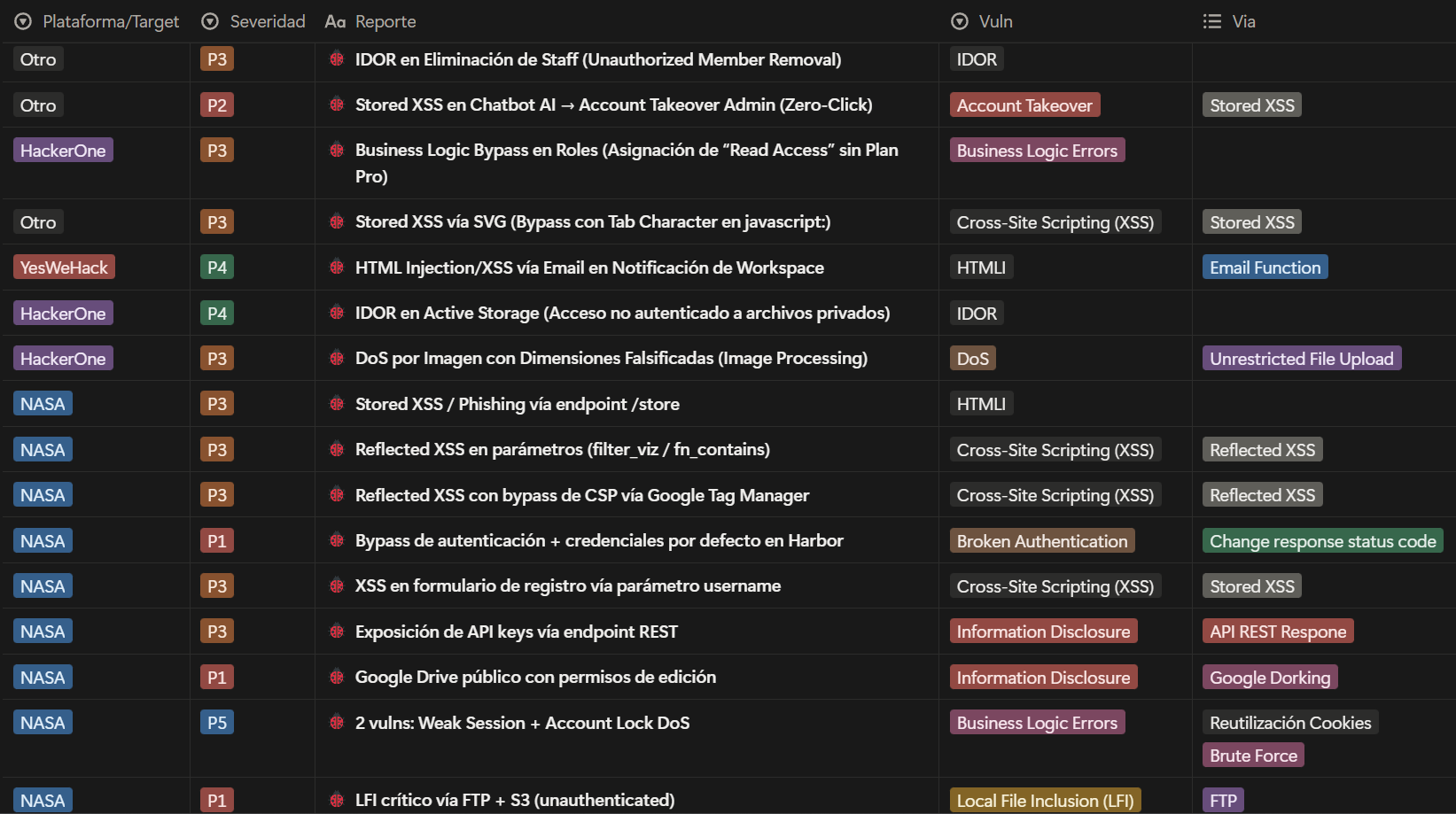
In my case, I built a Notion database with report summaries, including impacts, methodologies, PoCs, and reusable notes for other scenarios.
Here I show an example of how I organized my DB (inside each page I have the step-by-step, PoCs, and reusable notes):
Conclusions
Automating reconnaissance and enumeration can save a lot of time, but in the end the most important thing is still understanding how the application works and thinking creatively ("Think outside the box"). Personally, this is something I plan to keep improving and optimizing.
Don't expect your path to be the same as mine or anyone else's; everyone builds their own. So don't think you can apply this post line by line. Maybe you will find a similar environment, but most likely you won't. This can serve as a guide to learn tools, ways of thinking, methodologies, techniques, and to understand that everyone ends up creating their own way of doing bug bounty through practice.
Expect N/A, P5, and duplicates. And when they happen, don't get discouraged, because they are also a sign that you are making progress.
I promise it is fun, although I won't deny that sometimes it can be a bit stressful. But if you really like it, you will enjoy it. And when you least expect it, that email saying your report was accepted will arrive, and that's when you realize that all those hours learning and testing things were totally worth it.
Now stop reading and go apply what you learned, those bugs are not going to find themselves!!!
Timeline
- March 28, 2026: I begin my search for vulnerabilities in NASA.
- April 4, 2026: I discover and report a vulnerability through Bugcrowd.
- April 17, 2026: I test the vulnerability again. I discover that it was no longer reproducible and that the accounts used during testing had been disabled.
- April 23, 2026: NASA provided information about the vulnerability's impact.
- April 27, 2026: Bugcrowd classified the finding as P3 severity, marking the report as "Triaged".
- April 28, 2026: NASA changed the report status to "Resolved", confirming that the vulnerability had been fixed, and sent me the Letter of Recognition (LoR).